Gather
FeaturesWho it’s forHow it works
Now showing

Same second, same moment.

Any YouTube video with your people, perfectly in sync — chat and reactions in the dark. Open a room in seconds; friends only need the link.

🎵 Music videos📺 Dramas🎙️ Podcasts🎓 Tutorials
gather.app/room/5XVNM
🍿 Friday watch-along
🔥😂👏
🔒 Sam holds the remote
2:42 / 10:35
SMJ
3 watching · in sync
Mika:this scene 😂
Music videos◆Dramas & series◆Podcasts◆Lectures & tutorials◆Documentaries◆Gaming streams◆Live events◆Music videos◆Dramas & series◆Podcasts◆Lectures & tutorials◆Documentaries◆Gaming streams◆Live events◆
The programme

Everything a watch party needs, nothing it doesn't.

01

Locked to the same second

One press of play moves every screen. Drift gets corrected quietly in the background, so nobody ever has to say “pause for me”.

02

Chat & reactions in the dark

Talk in the sidebar and throw emoji across the picture without leaving the room or alt-tabbing away.

03

One person holds the remote

The host plays, pauses and skips for everyone — and can hand the remote to whoever is picking what's on tonight.

04

Just a link

No accounts, no downloads, no app store. Paste the room link and your people are in.

05

Late? You're caught up

Join halfway through and you land on the exact frame everyone else is already watching.

06

Any screen in the house

Phone, tablet, laptop or a classroom projector — the room reshapes itself and stays comfortable.

Two kinds of room

Same room, either kind of night.

Watch parties

Popcorn nights with people you miss

Friday dramas, weekend podcasts, live events and music videos — everyone on the same frame, wherever they happen to be.

  • ✦One remote, so nobody fights over pause
  • ✦Reactions float over the picture in real time
  • ✦Join late and land right in the middle of it
Classes & study

Lessons where nobody falls behind

Step through a lecture or tutorial as a group: pause to explain and everyone pauses. Built for tutors, teachers and remote study groups.

  • ✦Students join with one link — no installs, no accounts
  • ✦Paste the next clip's link straight into the room
  • ✦Chat doubles as your question-and-answer channel
How it works

From dark lobby to watching in a minute.

01

Open a room

Type your name and hit start. You get a five-letter room code and a link — that is your whole setup.

02

Send it to your people

They paste the link, pick a name, and they are in. No accounts, no waiting around.

03

Pick something & press play

Paste a YouTube link into the room. Whoever holds the remote plays it for everyone.

Inside a room

Lights down, and everything else fades away.

  • ✦No accounts — just a 5-letter code
  • ✦Chat, reactions and the remote, built in
  • ✦Laptop, phone or a classroom projector
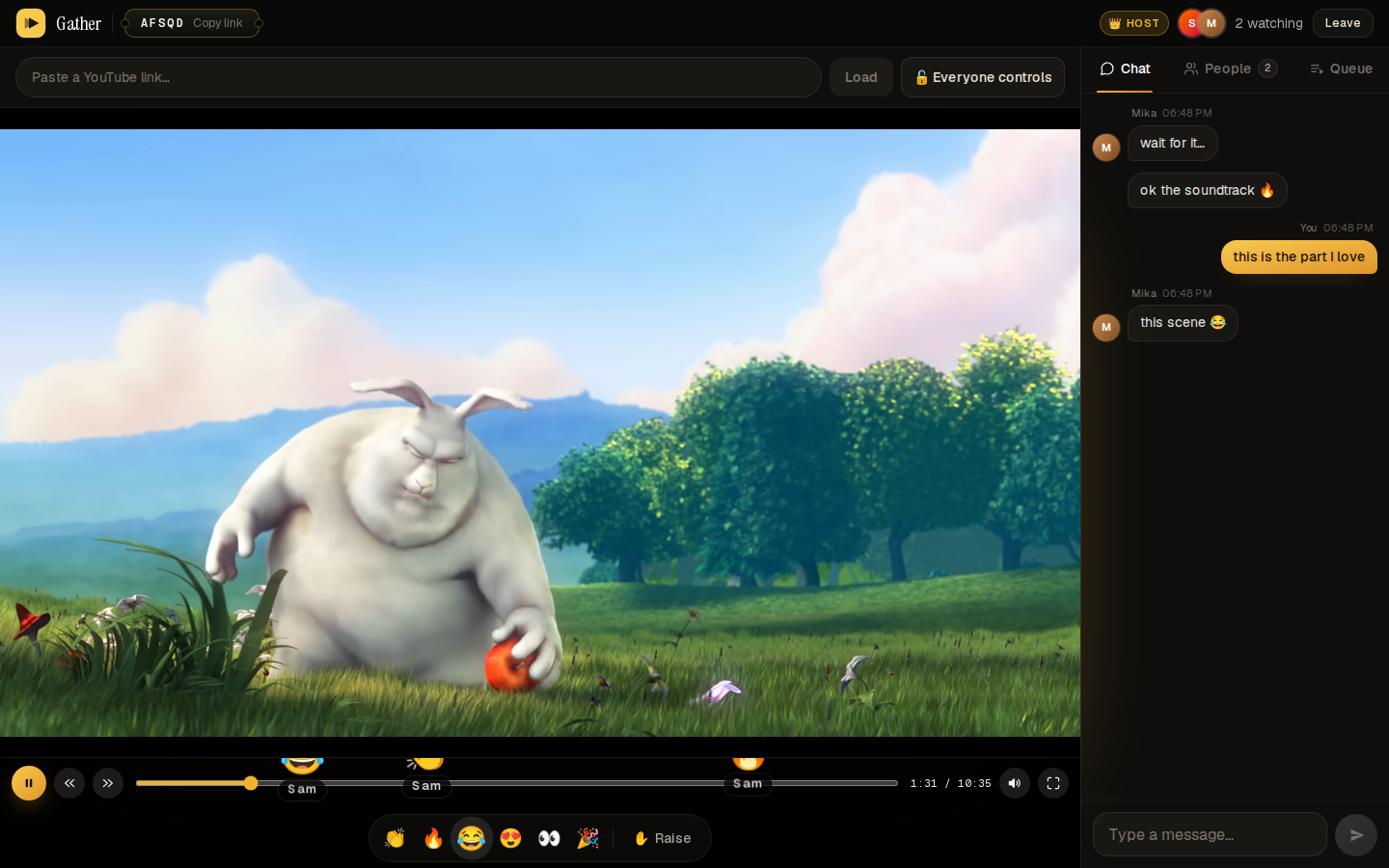
Gather room on desktop: the video up front, chat and people beside it
The room

Video up front, chat and people beside it — whoever holds the remote drives.

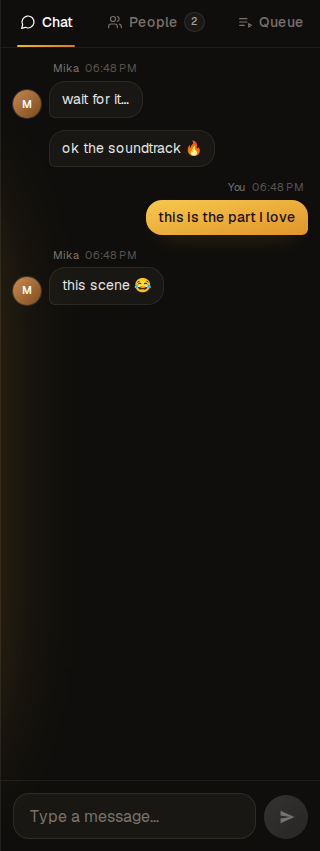
Chat panel in a Gather room, own messages in gold
Chat & reactions

Your messages land in gold; the room's stay quiet.

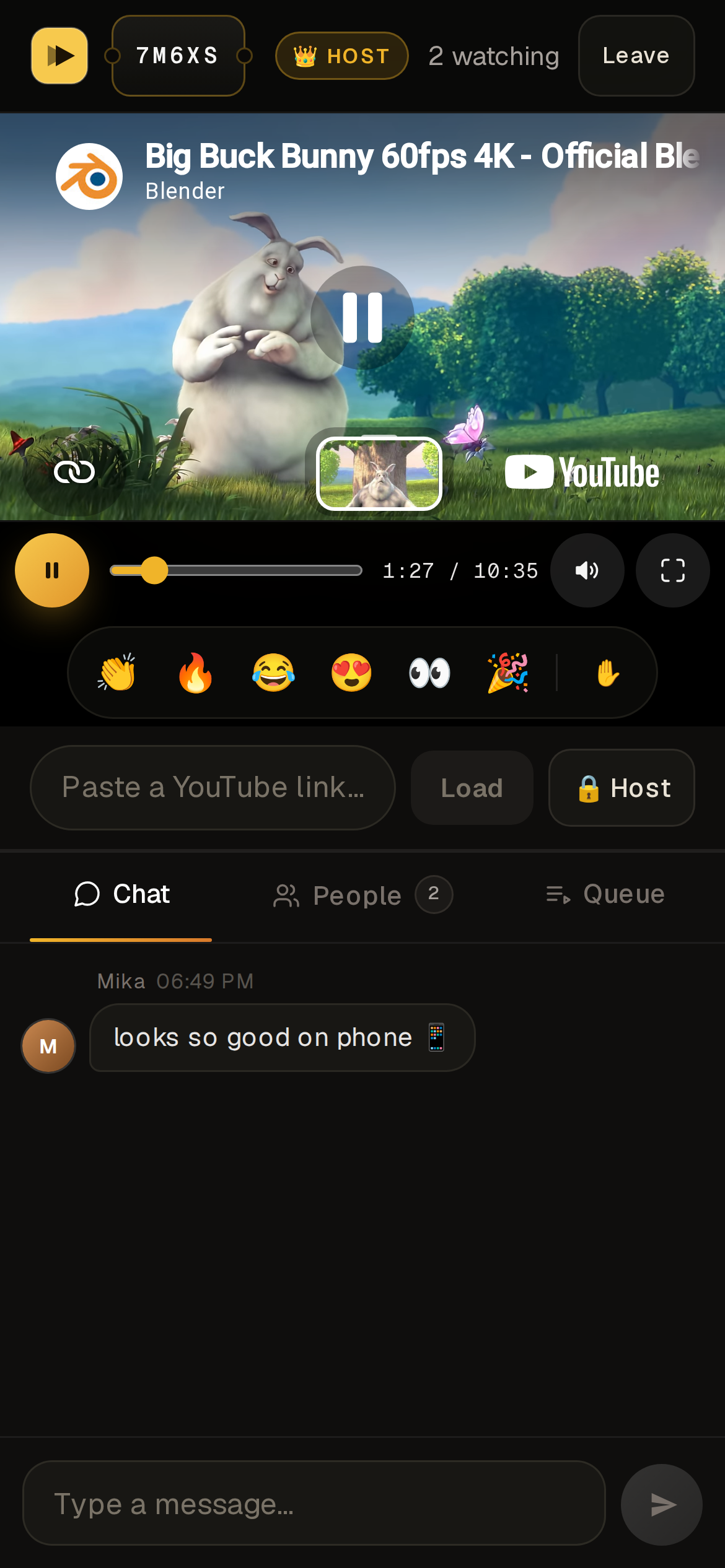
Gather room on a phone
On a phone

It stacks the same way: the screen first, the room below.

Intermission is over

Lights down. Room's open.

Free, no sign-up — from music videos to live events, your friends only need a link.

Gather

A screening room for people far apart — one YouTube video, perfectly in sync, with chat and reactions.

Watch

FeaturesWho it’s for

Built by

Ismile Hossain ↗Report a bug ↗

Legal

TermsPrivacy

© 2026 Gather

Videos play through YouTube’s official embed player.